
8-Bit Tower Defense Working Scripts
Loadstrings, feature lists, and hard safety warnings for 8-Bit Tower Defense automation tools.
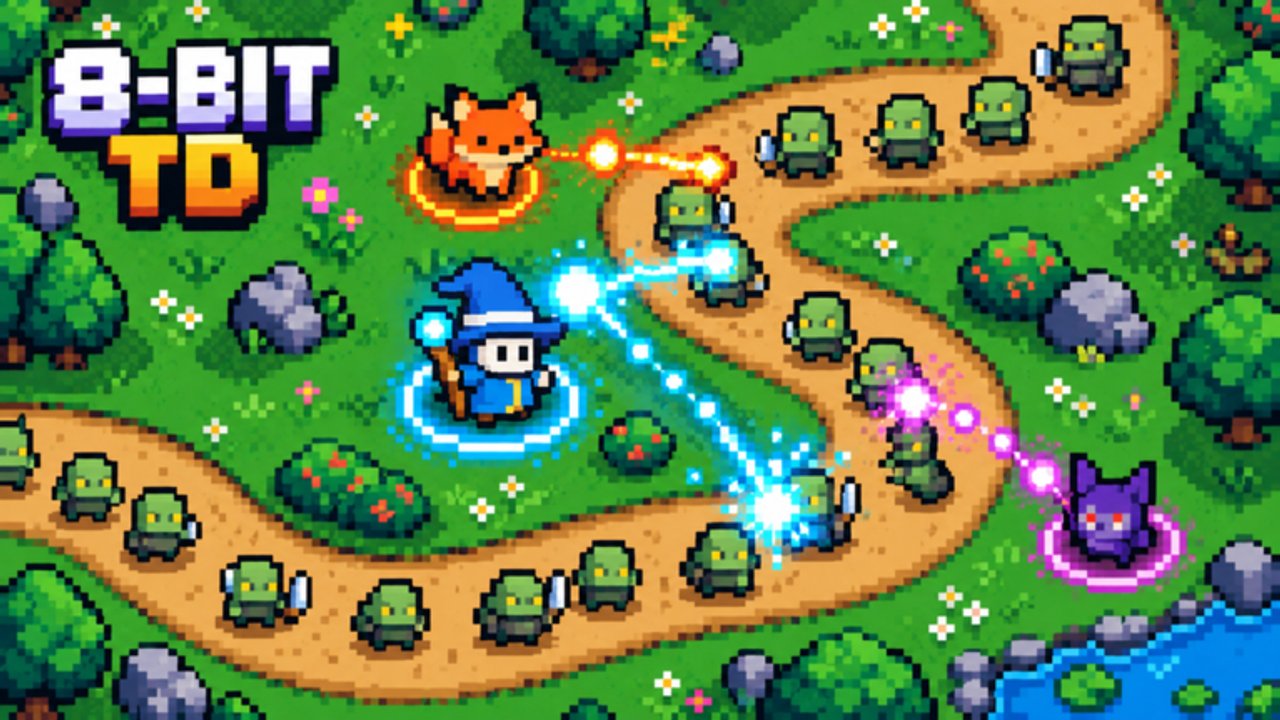
Scripts for 8-Bit Tower Defense automate summoning, skipping waves, placing towers, upgrading, and replaying macros so you can farm Infinite, challenges, Expedition relics, and co-op raids faster. They are unofficial, require a third-party executor, and can get your Roblox account banned. This hub documents popular loadstrings and features for players who already accept that risk — it is not an endorsement. Prefer free official progress first: redeem every string on the Codes Hub, follow Guides, and build around the Tier List before you touch any executor.
Safety warning (read first)
- Using scripts violates Roblox rules and Pixel TD’s expected fair play. Detected accounts can be warned, moderated, or permanently banned.
- Executors may bundle malware, steal cookies, or inject unwanted payloads. Download executors only if you understand the risk; never paste loadstrings you cannot read.
- Prefer a secondary / alt account for any testing. Do not run unknown hubs on a main with limited Mythics, Secrets, or paid items.
- Disable scripts before trading, joining public co-op raids with friends you care about, or streaming account details.
- Features break after updates. If Auto Place or Auto Summon errors out after a patch, stop the script instead of spamming retries that look bot-like.
- Use at your own risk. This wiki lists community tools for informational purposes only and does not guarantee uptime, safety, or support.
How to use a script (general steps)
- Install a working Roblox executor that supports
HttpGetloadstrings (choice and install steps are on you). - Launch 8-Bit Tower Defense and wait until the lobby or match fully loads.
- Open your executor attach / inject window and confirm it is attached to the correct Roblox client.
- Copy one loadstring from the sections below into the executor script box.
- Execute / run once. A GUI or hub window should appear with toggles (Auto Summon, Auto Skip, Macro, and so on).
- Enable only the features you need, set delays if available, then start a Normal story stage or Infinite run to verify behavior.
- If the game updates or the GUI fails to open, remove the script and wait for a fixed loadstring — do not stack multiple hubs at once.
Always keep Codes redeemed so Gems and Trait Rerolls are available even when you play manually. Scripts do not replace good unit choices from the Tier List.
Kero Hub
Kero Hub is a full-featured automation hub aimed at summoning and match flow. Typical toggles include Auto Summon, Auto Skip, Macro, Auto Place, Auto Upgrade, and Webhook notifications for long AFK farms.
loadstring(game:HttpGet("https://raw.githubusercontent.com/KeroTwT/Kero-Hub/refs/heads/main/KeroHub"))()When it helps: grinding summons for Rare / Epic / Legendary / Mythic / Secret pity, skipping cutscenes or intermission timers, replaying a recorded macro on Infinite or challenge maps, and auto-placing a saved layout while you watch Webhook alerts on another device.
Tips: turn Auto Summon off when you are saving Gems for a featured banner. Cap Auto Upgrade so you do not dump all Gold on the wrong road tile during Nightmare or Legend clears. Test macros on Greenfield Outpost before using them on Hollow King’s Ashen Citadel or raid maps (Rift Gate, Coral Cove, Eclipse Spire).
Macro & More
Macro & More focuses on recording and replaying placement / upgrade sequences with extra QoL toggles for repeated clears.
loadstring(game:HttpGet("https://pastebin.com/raw/ic0KSfSs"))()When it helps: Expedition relic routes, Infinite leaderboard attempts with a fixed tower order, and challenge maps where the same early curve must be perfect every run.
Tips: re-record macros after balance patches that change unit cost or pathing. Keep a clean manual backup build from the Guides hub in case the macro desyncs mid-wave.
Barrage
Barrage ships a loader with Auto Play and related farm helpers for hands-off clears.
loadstring(game:HttpGet("https://barrage.cc/loader"))()When it helps: long AFK Infinite sessions and repeating story difficulties (Normal → Nightmare → Legend) once your core Mythic evolves and traits are locked.
Tips: Auto Play still needs a strong roster — Shinies, evolved Mythics, and correct traits matter more than the script. Farm codes and group rewards first so Auto Summon (if you combine hubs carefully) has currency to spend.
Features compared
| Feature | Kero Hub | Macro & More | Barrage |
|---|---|---|---|
| Auto Summon | Yes | — | Depends on build |
| Auto Skip | Yes | — | — |
| Macro record / replay | Yes | Yes | — |
| Auto Place / Upgrade | Yes | Macro-driven | Auto Play focused |
| Webhook | Yes | — | — |
| Auto Play | — | — | Yes |
Pick one primary hub. Running multiple injectors at once increases detection risk and GUI conflicts.
Better progress without scripts
If you only want faster progression, stay official: redeem Codes (UPDATE1, HALLOWEEN, THANKSGIVING, and the rest), claim the Pixel TD group reward, follow Guides for story worlds and raids, and invest Trait / Stat Rerolls into tiered carries from the Tier List. Scripts speed repetition; they do not invent good traits, Secret luck, or raid coordination with three teammates.
Final reminder
Executors and loadstrings can disappear overnight. Pastebin raw links and GitHub paths change. Re-copy the string from this page when a hub updates its loader URL. If anything asks for your Roblox password, cookie, or payment info inside a script GUI, stop immediately — legitimate loadstrings never need that. Play fair when you can; if you still choose automation, keep it on an alt, keep expectations low, and accept that bans are possible at any time.
Frequently Asked Questions
Quick answers to the most common questions.
Are 8-Bit Tower Defense scripts safe?
No script is fully safe. Executors can ban your account or carry malware. Use an alt, understand the risk, and never share passwords or cookies.
How do I run a loadstring?
Attach a Roblox executor to the game client, paste one loadstring into the script box, execute once, then configure the hub GUI that appears.
Will scripts get me banned?
They can. Automation violates Roblox rules. There is no guarantee of safety even if a hub worked yesterday.
Which script is best for Auto Summon?
Kero Hub lists Auto Summon, Auto Skip, Macro, Auto Place/Upgrade, and Webhook. Still redeem codes first so you have Gems to spend.
Do I need scripts to clear the game?
No. Codes, trait rerolls, tiered units, and co-op practice are enough for story worlds, raids, Expedition, and Infinite if you play actively.